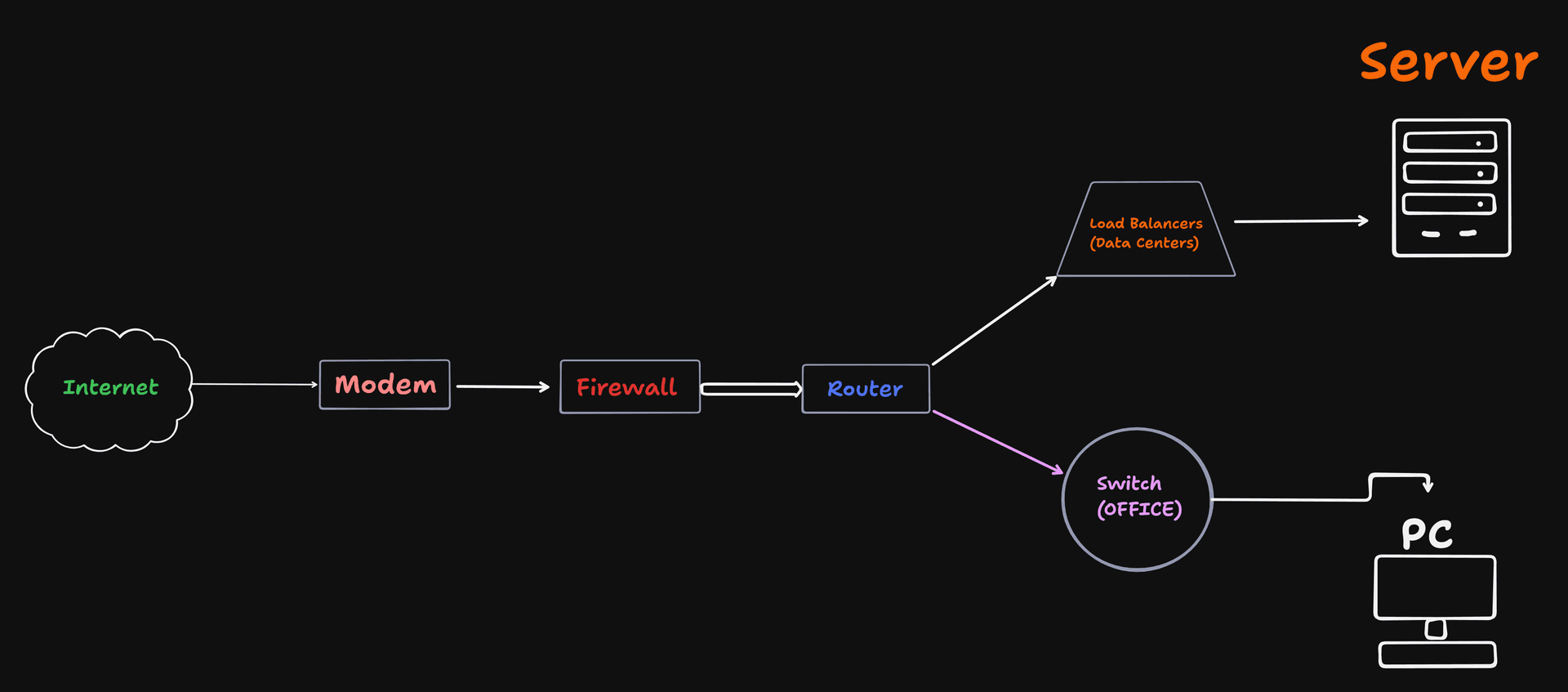
Connecting to the outside of the world through the Internet is not that simple as it looks like.
It involves an underlying process, that every device has to go through.
What is Modem
and how it connects your network to the Internet
The Modem short for (Modulator-Demodulator) is your network’s gateway to the outside world.
Modem → The Translator
It takes the responsibility of bridging your private network (eg: home/office) to the ISP(Internet Service Provider)
Your ISP sends signals over cable or (fiber, DSL).
The Modem translates these signals for you into digital data which the network can understand.

For Example:
- Cloud servers also connect via enterprise-grade modems or ISP gateways
- Network outages often start at the modem or upstream ISP
What is Router and how it redirects traffic
A Router connects different networks together, especially your local network which is LAN to the public network (WAN).
Router → The Traffic Police
Router decides where the traffic should go.
For Example:
It looks at the IP address of every packet and decides whether it stays inside your home or needs to go out of the internet.
It assigns private IPs (using DHCP) and translates private IPs to public IPs(NAT)
Modem Vs Router
| Modem | Router |
|---|---|
| Connects your private network to your ISP | Redirects the network Traffic |
| One Public IPs | Multiple IPs |
| Talks to internet | Talks to devices |
## Switch Vs Hub. How local networks actually work?
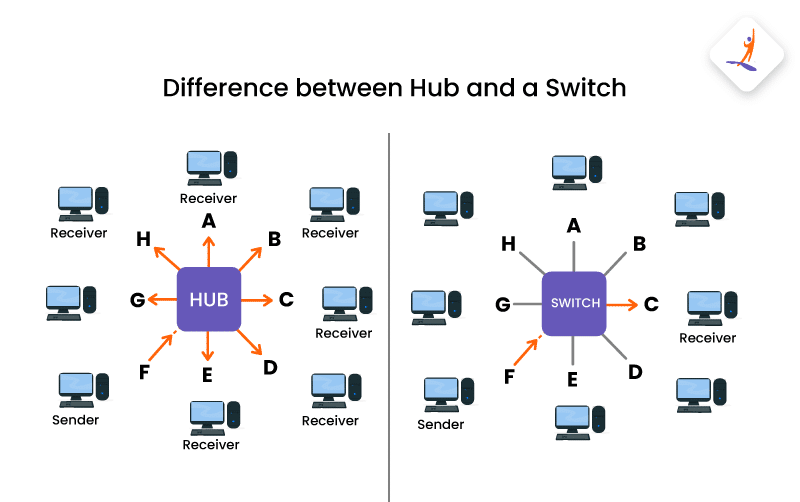
Managing the local crowd
These devices connect multiple gadgets (laptops, printers, TVs) within the same local network
- Hub (The Megaphone): A "dumb" device. When it receives data, it broadcasts it to every connected port. This is inefficient and causes "collisions".
- Switch (The Intelligent Switchboard): A "smart" device. It learns the unique MAC address of every connected device and sends data only to the specific recipient.
- Real-World Use: Hubs are largely obsolete; switches are the standard for modern wired networks.
What is Firewall and why security lives here?
A Firewall is a protective barrier that monitors and filters all incoming and outgoing traffic.
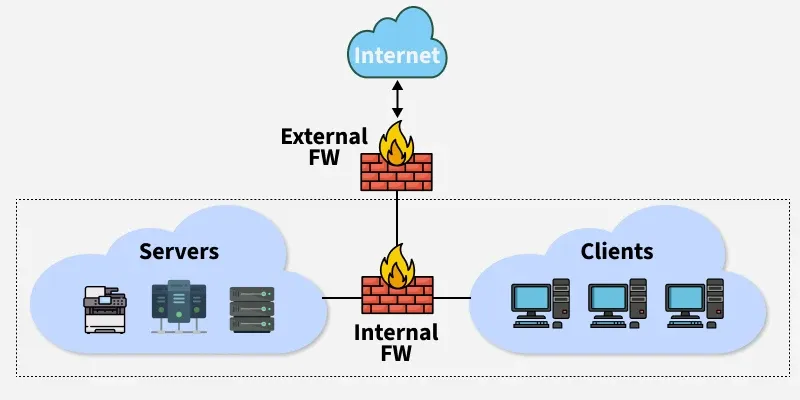
Firewall: The Security Gate
It stands at the entrance of your network with a "guest list" (security rules).
If a data packet isn't on the list or looks suspicious, the guard blocks it.
It prevents hackers, malicious and unauthorized traffic from entering your private network
Where it sits
- Between router and internal network
- Around servers in production
What is Load Balancers?
and why scalable systems need it?
If one server is overwhelmed with thousands of requests,
the load balancer directs new "cars" (traffic) to other available servers.
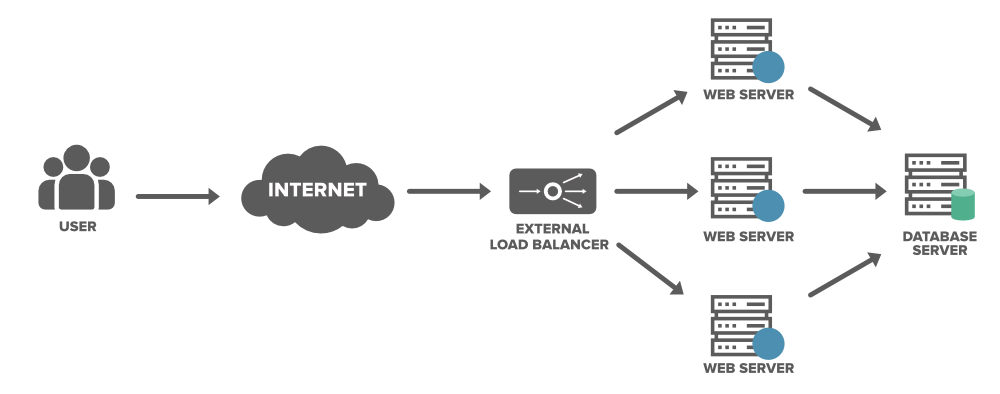
Load Balancer: The Toll Booth Director
Distributing incoming requests across a pool of servers to ensure high availability and prevent any single point of failure
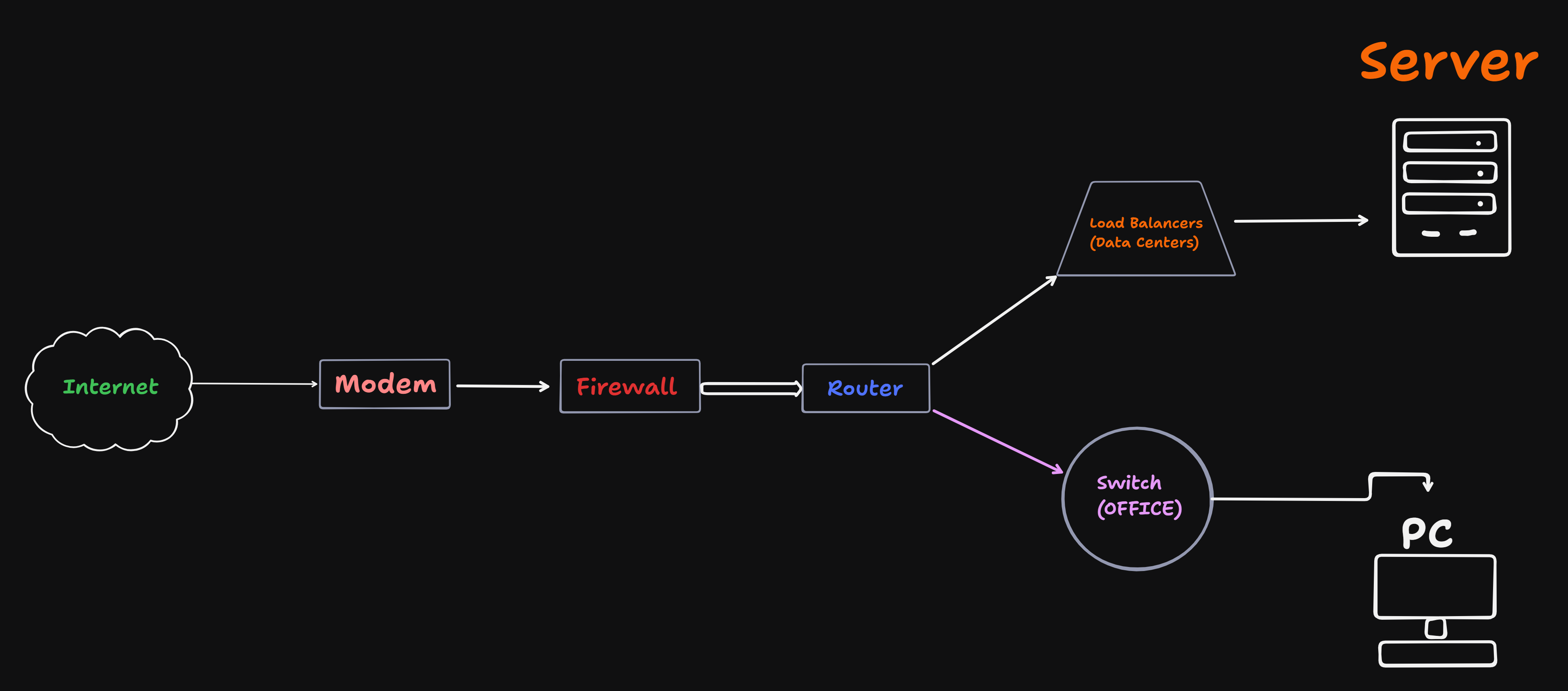
Real-World Setup: How They Work Together
- Internet flows into the Modem.
- The Modem hands data to the Firewall (to filter out attacks).
- The Firewall sends safe data to the Router.
- The Router passes data to a Load Balancer (in a data center) or a Switch (in an office).
- The Switch delivers the data to the final Server or PC.
Backend Connection: For software engineers, these aren't just boxes.
A Firewall is where you configure "Security Groups" in AWS; a Load Balancer
is your Nginx or AWS ELB; and a Router is what handles your VPC peering and subnet routing
Thank you for reading 💖